
• Home
  • Educational Blog
  • Architecture
    • Apartments
    • Amenities
    • Education
    • Corporate
    • Medical
    • Retail
    • Restaurants
    • Assisted Living
    • Multi Family
    • Residential
    • Hospitality
    • Public Spaces
    • Industrial
    • Twilight
  • Land Sculpting
    • Landscape - Residential
    • Landscape - Public
  • Add People
    • In Architecture
    • Self Perform
    • Executives
  • Lifestyle
    • Life Style
  • From the Air
    • Aerials
  • Studio
    • Products
    • Food
  • About
  • Contact
  • © Gregg Shupe 2024
  • Menu

ShupeStudios

Photography Studio & Architectural Photographer Boston
  • Home
  • Educational Blog
  • Architecture
    • Apartments
    • Amenities
    • Education
    • Corporate
    • Medical
    • Retail
    • Restaurants
    • Assisted Living
    • Multi Family
    • Residential
    • Hospitality
    • Public Spaces
    • Industrial
    • Twilight
  • Land Sculpting
    • Landscape - Residential
    • Landscape - Public
  • Add People
    • In Architecture
    • Self Perform
    • Executives
  • Lifestyle
    • Life Style
  • From the Air
    • Aerials
  • Studio
    • Products
    • Food
  • About
  • Contact
  • © Gregg Shupe 2024


Dehaze Feature in the latest Lightroom Update

June 29, 2015 in Blog

The latest update to Adobe Lightroom includes a remarkable new tool…Dehaze.

This is the original before it was dehazed in Lightroom.

This is what it looked like after it has been dehazed:
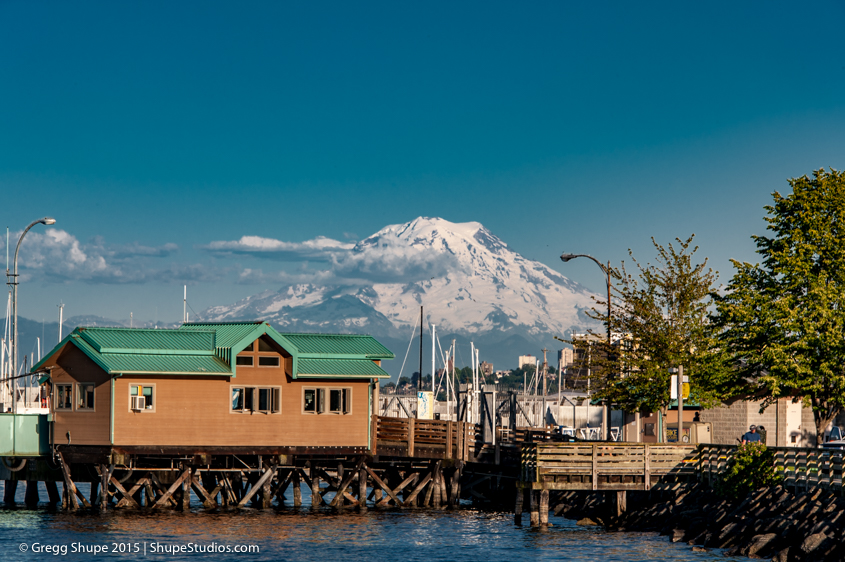
Before:
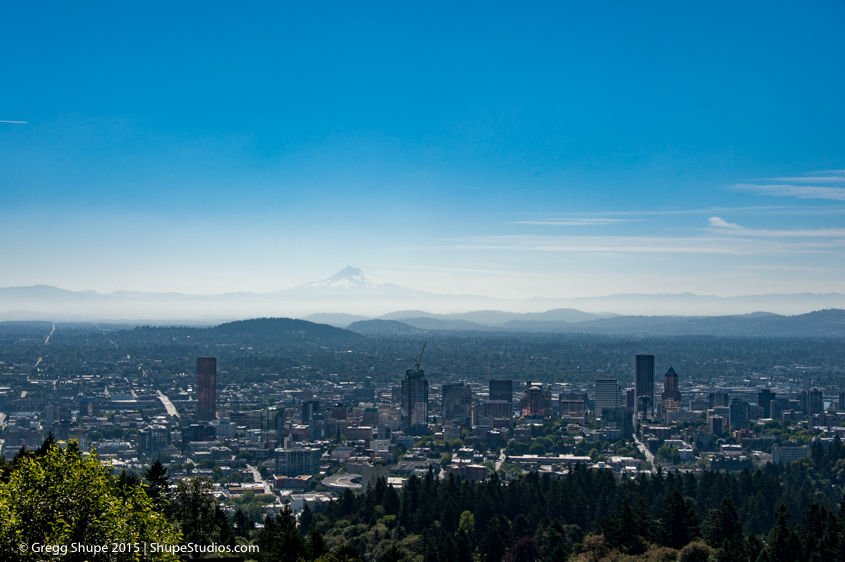
The photography tools and technology are constantly improving.

Tags: Lightroom, Adobe, Dehaze, Photoshop Tips
Prev / Next

Gregg Shupe

About the Author

Gregg Shupe, a graduate of RIT with a BS in Professional Photography, began Freelance PhotoImages, in 1983, and since then has consistently delivered creative, quality imagery that is exceptionally dependable and competitive.


Latest Post

How AI is Transforming Architectural Photography

AI tools in Photoshop have completely changed the game for architectural photographers. What used to take hours of careful cloning, masking, and touch-ups can now be done in minutes—and often with better results. Need to get rid of power lines, a distracting sign, or a random person who wandered into your shot? AI can recognize those unwanted elements instantly and replace them with background details that look natural and seamless. Let me take you through a few recent projects to show you what I mean.